
Know exactly what could take your website — and your business — offline.
Your business runs on your website.
But do you know what would happen if it went down?
What I Check and Fix
incident — or a business problem that blocks leads and revenue.
Backups and Recovery
Admin Access and Ownership
Plugin and Update Risk
Basic Hardening and Monitoring
Who This Is For
This is for…
This is not for…
How It Works
Request Your Risk CheckFill in a short form with your website details. No technical knowledge required.
Scan and ReviewI review your site’s setup, looking at the areas that most often cause business-impacting problems.
Receive Your Risk ReportWithin 48-72 hours, you get a clear, jargon-free summary of what I found—focused on business impact, not technical detail.
Review Priorities TogetherWe walk through the risks so you can decide what to fix now and what can safely wait.
Fix the Critical PointsIf anything needs attention, I handle the fix so your site is less fragile and easier to recover if something breaks.
What a broken site really costs
Lost Leads and Revenue
Extended Downtime
Admin Takeover
Long, Costly Recovery
Loss of Client Trust
About
In that time, I’ve seen how small, overlooked issues turn into serious business problems. A backup that doesn’t actually work. A plugin update that breaks everything. An old admin account that gets compromised.
These aren’t dramatic hacks or rare disasters. They’re common, quiet failures that happen when no one’s watching. And they almost always hit hardest when the business owner had no idea anything was wrong.
That’s why I created this risk check—to help business owners see clearly what they’re dealing with, before something breaks.
This risk check is not based on theory or generic tools. It’s based on the same patterns I’ve seen quietly break real businesses over more than a decade — usually without warning.

Claudio Xerez
Real Situations, Real Outcomes

Problem:
The website was being used by bots and fraudsters to test stolen credit cards, generating thousands of fake checkout attempts per day. This caused payment gateway blocks, CPU overload, and a risk of being blacklisted.
Fix:
I cleaned malicious scripts, removed injected checkout endpoints, blocked automated bot access, implemented rate-limits, created firewall rules for checkout paths, disabled unsecured payment methods, and tightened REST API permissions.
Result:
Fake purchase attempts dropped to zero, the payment gateway unblocked the merchant account, and the store returned to normal operations without fraudulent traffic draining server resources.
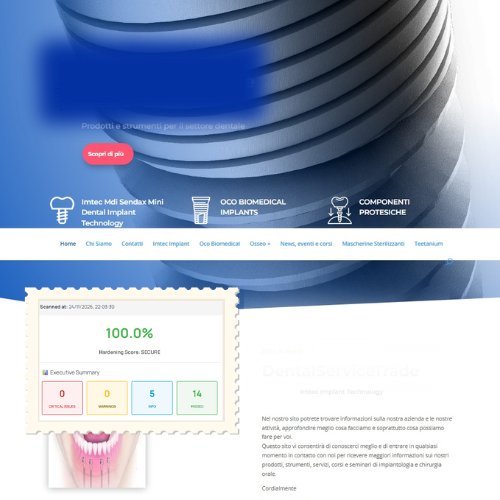
Problem:
The entire WordPress upload folder was infected with thousands of adult images, used by attackers as a hidden image-hosting server. The domain was being associated with explicit content, damaging the business’s reputation and search visibility.
Fix:
I removed the malicious files, scanned every directory for hidden scripts, deleted backdoors from the uploads folder, disabled file execution where it didn’t belong, restored clean media, updated all plugins/themes, and hardened file permissions to prevent re-injection.
Result:
The domain was cleaned and de-indexed from explicit content warnings, the media library was restored, and the business regained a safe, clean online presence without hidden file storage vulnerabilities.
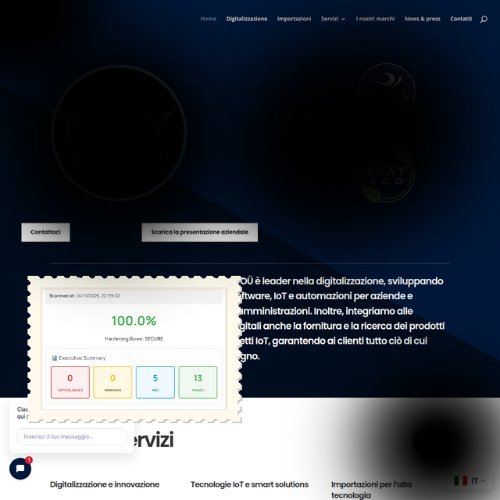
Problem:
The company relied heavily on WordPress for lead generation and partner access but had no security measures in place — outdated plugins, no firewall, exposed version info, and default login paths wide open for brute-force attacks.
Fix:
I performed a full preventive security setup: updated the entire stack, replaced vulnerable components, changed the login URL, limited login attempts, disabled XML-RPC, tightened permissions, blocked file execution in uploads, and added a custom firewall configuration.
Result:
The site became resistant to common exploit attempts, brute-force attacks dropped dramatically, and the business gained long-term protection without waiting for a hack to occur.
Find out what could break your website — before it breaks your business.
Get a short risk report that shows where your site is fragile and what to fix first to reduce risk.
No jargon. No pressure. Just clarity.
Frequently Asked Questions (FAQs)
No. This is a business-focused review. I look at the areas that most often cause real problems—like backups, access control, and outdated software—but I explain everything in plain language. You’ll understand what matters for your business, not just what’s happening under the hood.
Not at all. The review process doesn’t make any changes to your site or require any downtime. I’m simply looking at how things are set up and identifying what might cause problems in the future.
No. The risk check gives you a clear picture of where your site stands. If anything needs fixing, we’ll discuss that separately—but there’s no pressure and no obligation. Some people find out their site is already in good shape.
No. This is a one-time check to identify risks and, if needed, fix them. I don’t offer monthly subscriptions or ongoing monitoring plans. The goal is to get your site properly protected so you’re not constantly worrying about it.